


Future Self™: AI Face Aging
4.11.02K Reviews
App Specs
- Version
- 1.0.9.6_28082026
- Updated On
- License
- Free
- Downloads
- 10,000,000+
- Developer
- AMOBEAR TECHNOLOGY GROUP
- Categories
- Art & Design
- Platform
- Android, iOS
Screenshots

 Analysis by AppCompare
I approach face-aging apps as playful photo tools, not as predictions. That distinction matters with Future Self Face Aging Changer: the point is to see a stylized possibility, share a surprising portrait, or experiment with a look—not to learn what your face will actually look like years from now. If that sounds like the kind of casual creativity you want, this app is worth considering; if you need precise portrait editing, you may be happier with a broader photo editor.
For me, the first decision is whether I want a quick, focused transformation or a set of controls I can fine-tune. This is an art-and-design app from AMOBEAR TECHNOLOGY GROUP, built around aging effects and background removal rather than a full editing workflow. It is free to try, rated for Everyone, and its current version is 1.0.8.1_03122025. The average rating is 3.9 from around 47,000 ratings, with over 10 million installs, so plenty of people have tried it—but those figures are context, not a guarantee that every result will suit your photo.
Getting Started with a Glimpse into the Future
When I first downloaded Future Self Face Aging Changer, I was both excited and a bit nervous. Who wouldn’t be curious about their future look? The app is super easy to navigate. Right off the bat, you're asked to upload a selfie or choose a photo from your gallery. The interface is clean and straightforward, which makes the whole process a breeze.
That simple start is useful if, like me, you want to get to the result without learning a complicated editor. I’d choose a clear, front-facing image with the face well lit and not partly covered; that gives the effect a better chance of reading cleanly. A dramatic pose, heavy shadow, or busy frame can make it harder to judge the transformation, so I treat the first image as a quick test rather than a final choice. Trying a second photo is a practical way to tell whether an odd-looking result comes from the source picture or from the effect itself.
The Magic Behind the Aging
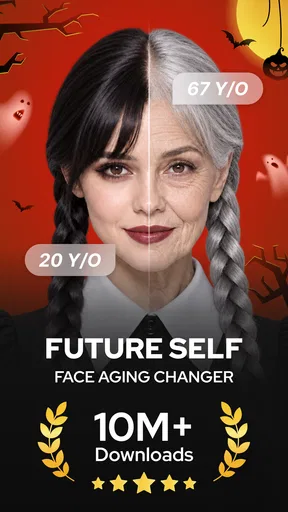
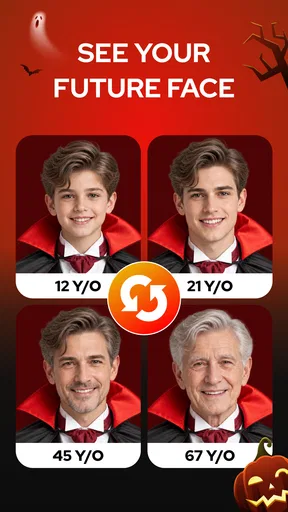
Now, here’s where the fun begins. The app uses some clever AI tech to guess how you’ll age. It’s like having a crystal ball, but for your face! After a few seconds of processing, the results pop up and, wow, it’s pretty convincing. I was honestly taken aback by how realistic the aged version of my face looked. It even had the little details like wrinkles and graying hair.
I still wouldn’t read those details as a forecast. An aging filter makes an image feel plausible by changing visible features, but a single portrait cannot account for the many personal factors that shape someone’s appearance over time. I find the result more interesting as a visual prompt: it can make you notice how a small change in hair, texture, or expression shifts the whole impression of a face. That keeps the experience entertaining without turning a generated portrait into a claim about health or the future.
One useful way to judge the effect is to keep the original photo beside the edited result rather than relying on memory. It makes the transformation easier to understand and helps you decide whether the aged look still resembles you or has become more of a character image. If you plan to share it, that comparison can also make the joke or reveal clearer to someone who has not seen the original.
Worth Reading Before You Choose

Baby Panda World Brings Quick Play to Modern Phones, but Its Game Library Feels Busy

ESPN’s Live Game View Makes Following Close Games Easier

QuizzLand Review: A Good Fit for Short Trivia Breaks, Not Every Player

Basketball Stars: Multiplayer Is Fast, but Can It Recover When Matches Go Wrong?

WEBTOON Turns Phone Updates Into a Better Reading Routine

Link to Windows Runs on Shared Habits, Not Social Feeds
What's cool is the app doesn’t just stop at aging. You can also experiment with different hairstyles and facial hair. Ever wondered if you'd look better with a beard or bangs? Now you can find out without the commitment.
That makes the app handy for a low-stakes style conversation, but I’d keep expectations modest if you’re making a real haircut decision. A face effect can help you explore an idea, yet it is not the same as checking a cut against your hair texture, maintenance preferences, or how it looks from different angles. I’d use it to narrow down playful possibilities, then rely on a stylist or a more controlled portrait tool for an important change.
Sharing the Fun
Of course, what’s the use of seeing your future self if you can’t share it with friends? The app makes it super easy to share your results directly to social media. My friends had a good laugh, and it sparked some fun conversations about how we might all look in the coming years.
A realistic everyday use is sending a transformed selfie to a family group chat before a birthday or reunion, then asking everyone to guess whose portrait it is. For a cleaner result, I’d pick an image with only one main face and check the crop before sharing; crowded photos can make the subject less obvious, and a close-up is easier to read on a small phone screen. I’d also keep a private copy of the original so the edited version does not become the only one I can find later.
Because the app also includes background removal, there is room to make a portrait feel more like a designed image than a simple filter. That can be useful when I want the face to stand out in a playful post or a mock profile picture. I would treat the two ideas as separate steps in my own workflow: first decide whether the aged portrait works, then consider whether removing the background improves it. If the cutout looks awkward around hair or shoulders, a plain original background may look more convincing than forcing a cleaner-looking composition.
It’s not just a tool for laughs, though. I found it surprisingly insightful. It got me thinking about skincare and taking better care of myself now to maybe change some of those future outcomes.
I’d frame that reflection gently. The image can remind me that appearance changes, but it cannot show what a skincare routine will do or tell me what choices I should make. For practical skin advice, I’d turn to a qualified professional or a reliable health source; I use the filter as a conversation starter, not a substitute for guidance. That distinction is especially useful if someone in the group finds aging images uncomfortable rather than funny.
When Another Tool Makes More Sense
Compared with a general photo editor, this app’s appeal is focus: I can go straight to a future-age effect instead of searching through a broad collection of adjustments. That is a good fit for a quick experiment or a shareable gag. The trade-off is control. If my priority is careful retouching, layered composition, or a precise background cutout, a dedicated portrait or image-editing app is likely a better choice. Those tools may take longer to learn, but their broader editing approach suits projects where small details matter more than speed.
It also differs from a style-planning tool. A filter can give me a rough visual idea of facial hair or a hairstyle, but it cannot replace trying a real look with a barber or hairdresser, especially when the decision involves upkeep. I’d skip this app if I expect a reliable age simulation, a professional headshot workflow, or fine control over every edit. It is strongest when curiosity and convenience matter more than accuracy.
Free to Try, With a Paid-Feature Trade-Off
The app is free, with in-app purchases ranging from $2.99 to $69.99 per item. I’d start by exploring the free experience and decide whether the available results meet my needs before paying for anything. Since purchase options can affect whether a casual tool feels worthwhile, I’d check the price shown for the specific item in the app before confirming. A one-off curiosity does not necessarily justify a purchase; someone who expects to make and share portraits regularly may weigh that differently.
Switching away is easy in principle if all I wanted was one funny image, but it becomes more of a hassle if I have already shared edited portraits or built a small collection around them. I’d save any result I care about to my photo library and keep the original alongside it. That simple habit makes it easier to move to another editor later, compare alternatives, or reuse the portrait without depending on one app’s workflow.
Overall Experience
Overall, Future Self Face Aging Changer is a neat app that combines fun with a touch of reality. It’s perfect for anyone curious about the future or just looking for a fun way to pass the time. The app is free with some optional in-app purchases, but the basic features are more than enough to get a glimpse into the future.
Its age rating is Everyone, and the app runs on Android 8.1 or later. I’d still think about the audience before sharing an aged portrait: the rating may suit a broad audience, but not everyone enjoys jokes about getting older. A quick check with the person whose photo is being edited is a considerate move, especially when the image will leave a private chat and appear somewhere more public.
There are 789 written reviews, and I’d read them with a practical question in mind: are people discussing the kind of results and editing experience I want, or a different use case? Broad ratings can help set expectations, but photo effects are personal; the same transformation may look amusing to one person and unconvincing to another. Testing a clear selfie is a better final check than assuming someone else’s reaction will match mine.
So, if you’re up for some light-hearted fun and a peek into what’s to come, give this app a spin. It’s a playful way to remind yourself that time flies, but also that you’ve got plenty of it left to enjoy.
My recommendation is to try it when you want a quick aging portrait, a casual style experiment, or a conversation piece to share with friends. Use a straightforward photo, judge the result as entertainment, and save the original if you want to keep both versions. If your goal is dependable prediction, careful retouching, or a polished design with precise control, choose a more specialized alternative instead. For a low-pressure look at a possible future face, though, this app makes the experiment easy to start.
Pros
- Realistic aging effects for fun and creativity.
- Easy-to-use interface with intuitive controls.
- Quick processing time for instant results.
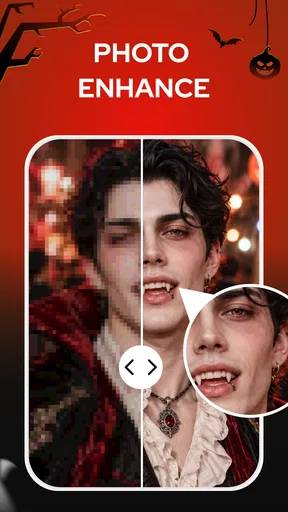
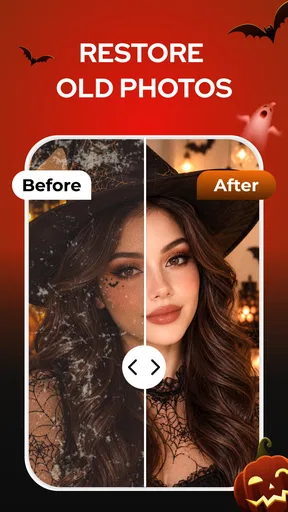
- Includes additional filters for enhanced photos.
- Free to download with optional in-app purchases.
Cons
- Limited customization options for aging effects.
- Some features require a stable internet connection.
- In-app ads can be frequent and distracting.
- Occasional glitches on older devices.
- Privacy concerns with photo data storage.
FAQs for Future Self™: AI Face Aging
What is Future Self Face Aging Changer?
Future Self Face Aging Changer is an app designed to give users a glimpse into their future appearance. By using advanced facial recognition technology, it allows users to see how they might look as they age. This app uses artificial intelligence to simulate aging effects on your uploaded photos.
How accurate is the aging simulation in the app?
The accuracy of the aging simulation can vary based on several factors, including the quality of the photo used and the algorithms employed by the app. While it provides a fun and interesting visualization, it's important to remember that the results are speculative and for entertainment purposes.
Is Future Self Face Aging Changer free to use?
The app is free to download, offering basic features at no cost. However, it may include in-app purchases or premium features that require payment. These could enhance the user experience by providing additional filters or customization options, so check the app store for specific pricing details.
What are the privacy concerns when using the app?
Privacy is a common concern with photo-editing apps. Future Self Face Aging Changer may require access to your photos and camera. It's crucial to review the app’s privacy policy to understand how your data is used and shared. Ensure the app has a reputable developer and good reviews regarding data protection.
On which platforms is Future Self Face Aging Changer available?
Future Self Face Aging Changer is available for both Android and iOS devices. Users can download it directly from the Google Play Store or the Apple App Store. Always ensure your device meets the app's system requirements for optimal performance and experience.


